
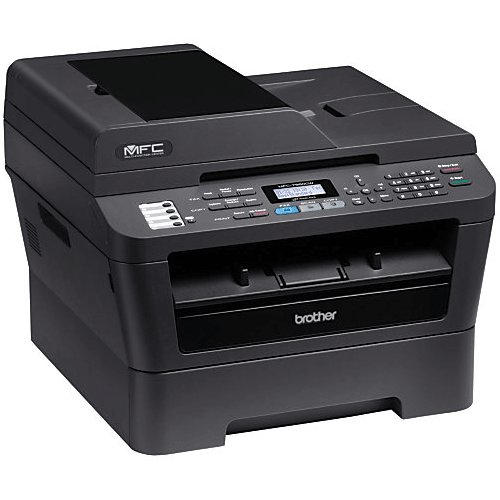
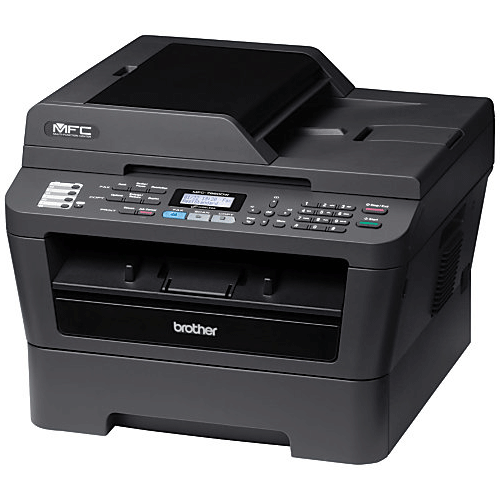
Product Highlights
- Built-in wireless 802.11b/g and Ethernet network interfaces
- Print and copy speeds of up to 27PPM
- 2400 x 600 dpi
- Features an adjustable, 250-sheet capacity paper tray for letter or legal size paper
Overview
Specifications
| Print Technology | B/W Laser Technology | |
| First Time to Print | Less than 8.5 seconds | |
| Consumable Type | Toner Cartridge & Drum Unit | |
| Max. Black Print Speed (ppm) | 27ppm Black | |
| Print Resolution (maximum dpi) | Up to 2400 x 600 dpi | |
| Printer Driver Compatibility† | Windows® & Mac OS® | |
| Emulation(s) | PCL6 & BR-Script3‡ |
| Copying Capability | B/W Copying | |
| Design Style | Flatbed | |
| Max. Automatic Document Feeder Capacity‡ | 35-Page ADF | |
| Max. Black Copy Speed (cpm) | 27cpm Black | |
| Stand-alone Copying | Yes | |
| Reduction/Enlargement | 25% – 400% | |
| Sorting Function | Yes | |
| N in 1 Function | 2in1 / 4in1 | |
| Poster Function | No | |
| Document Glass Size | Letter / A4 | |
| ID Copy | Yes |
| Scanning Capability | B/W & Color Scanning | |
| Max. Interpolated Scan Resolution (dpi)† | Up to 19200 x 19200 dpi | |
| Optical Scan Resolution (dpi) | 600 x 2400 dpi | |
| Mobile Device Scanning App‡ | Brother™ iPrint&Scan free app download for wireless printing from and scanning to your mobile device. | |
| “Scan To” Feature† | Email, Image, OCR, File, FTP, Email Server‡ | |
| Scan File Formats | TIFF / BMP / MAX / JPG / PDF / Secure PDF / PNG / XPS | |
| Scanner Driver Compatibility† | Windows®/Mac OS® | |
| Document Viewer Software† | Includes Scansoft PaperPort® SE with OCR for Windows® and Presto!® PageManager® for Mac® | |
| OCR Software† | Includes Scansoft PaperPort® SE with OCR for Windows® and Presto!® PageManager® for Mac® |
| Faxing Capability | B/W Faxing | |
| Fax Modem Speed | 33.6K bps Fax Modem | |
| PC Fax Capability (send/receive)† | Yes | |
| Best Transmission Speed (sec)‡ | Approx. 2.5 seconds per page | |
| Call Waiting/ Caller ID/ Distinctive Ring Ready‡ | No/Yes/Yes | |
| Out-of-Paper Reception | Yes | |
| External TAD Interface | Yes | |
| Total Auto Dial Locations | 208 locations | |
| Broadcasting (# of locations) | Yes (258 locations) | |
| Quick Scan (Memory Transmission)‡ | Approx. 2.5 sec/page | |
| Fax/Telephone Switch | Yes | |
| Fax Page Memory‡ | Up to 500 page fax memory | |
| Document Memory Backup | Yes |
| Standard Input Paper Capacity (sheets)‡ | 250-Sheet Input Capacity | |
| Output Paper Capacity (sheets) | 100 sheets | |
| Optional Paper Capacity (sheets) | No | |
| Duplex Printing Capability | Yes | |
| Paper Handling Size – Paper Tray | Letter, Legal, Executive, A4, A5, B5 | |
| Paper Handling Size – Manual Feed | Letter, Legal, Executive, A4, A5, A6, B5, B6, Envelopes, Custom Sizes (3.0-8.5″ (w), 4.57-14″ (l)) | |
| Sheet Weight – Paper Tray (max/min) | 16 – 28 lbs. | |
| Sheet Weight – Manual Feed (max/min) | 16 – 43 lbs. | |
| Minimum Input for ADF (Width/Height) | 5.8″/5.8″ | |
| Max Input of ADF (Width/Height) | 8.5″/14″ | |
| Sheet Weight – ADF (max/min) | 17 – 24 lbs. | |
| Recommended Paper Brands | Plain Paper: Xerox 4200DP 20 lb., Hammermill Laser Paper 24 lb. Labels: Avery Laser Label White #5160 |
| Standard Interface(s) | 10/100 Base-TX Ethernet, Wireless 802.11b/g, Hi-Speed USB 2.0 interfaces | |
| Optional Interface(s) | No | |
| Standard Network Features† | Printing, Scanning, PC Fax | |
| Mobile Device Compatibility‡ | Brother™ iPrint&Scan, Cortado Workplace | |
| Industry Specific Certifications | Performance Matters™ Certified | |
| Supported Network Protocols (IPv4) | ARP, RARP, BOOTP, DHCP, APIPA(Auto IP), WINS/NetBIOS name resolution, DNS Resolver, mDNS, LLMNR responder, LPR/LPD, Custom Raw Port/Port 9100, IPP, FTP Server, SNMPv1/v2c, HTTP Server, TFTP Client and Server, SMTP Client, ICMP, LLTD responder, Web Services (Print) | |
| Supported Network Protocols (IPv6) | NDP, RA, DNS Resolver, mDNS, LLMNR responder, LPR/LPD, Custom Raw Port/ Port 9100, IPP, FTP Server, SNMPv1/v2c, HTTP Server, TFTP Client and Server, SMTP Client, ICMPv6, LLTD responder, Web Services (Print) | |
| One-Push Wireless Setup | AOSS™, Wi-Fi Protected Setup™ |
| LCD Display | Yes (monochrome) | |
| Standard Memory (MB) | 32MB Memory | |
| Optional Memory (MB) | No | |
| Toner Save Mode | Yes | |
| Maximum Monthly Duty Cycle‡ | 10,000 printed pages | |
| Recommended Monthly Print Volume‡ | 250 to 2,000 pages |
| Security Functions | Secure Function Lock, Setting Lock, Secure Print | |
| Wireless Network Security | WEP 64/128, WPA-PSK (TKIP/AES), WPA2-PSK (AES) |
| ENERGY STAR® Qualified | Yes | |
| Power Source | AC 120V 50/60Hz | |
| Power Consumption – Sleep/Ready/Copying | 1.7W (Sleep WLAN On: 3.9W) / 55W / 445W | |
| Operating Environment: Temperature | 50-91°F | |
| Operating Environment: Humidity | 20-80% (w/out condensation) | |
| Machine Noise (Ready/Copying) | 30 dB / 53 dB |
| Carton Dimensions (W”xD”xH”) | 20.7″ x 20.1″x 19.4″ | |
| Carton Weight (lbs) | 32.6 lbs. | |
| Unit Dimensions (W”xD”xH”) | 15.9″ x 15.7″ x 12.4″ | |
| Unit Weight (lbs) | 25.6 lbs. |
Technical Documentation
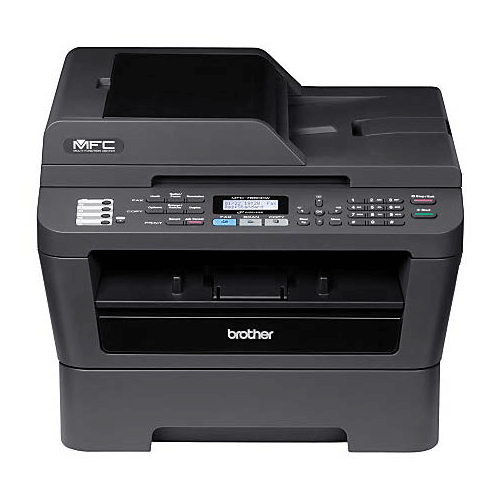
Brother MFC-7860DW
Wireless, All-In-One Printer
- Rentex No. BRO7860DW
- Mfr No. MFC-7860DW

-
Available for same-day delivery in most major cities
-
Item is show-ready, double-tested for functionality
-
Accessories included, matched to the main unit


Recommended Products
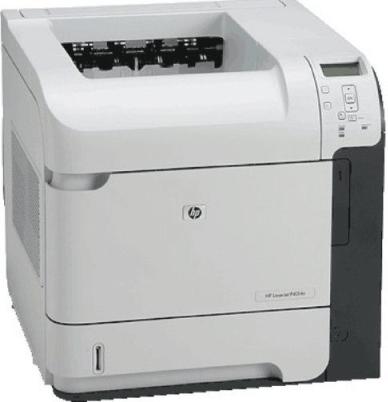

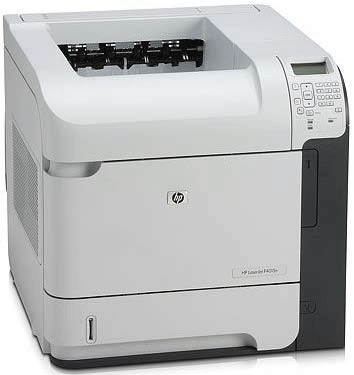
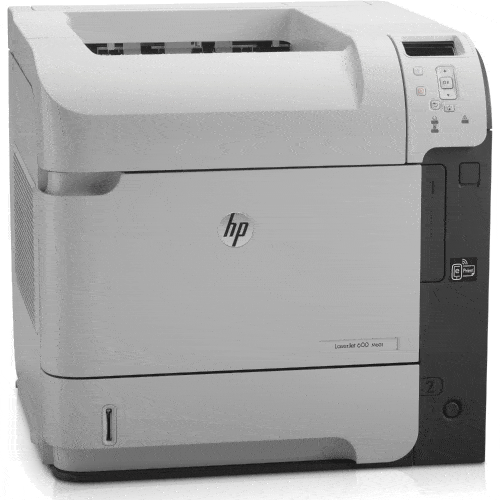
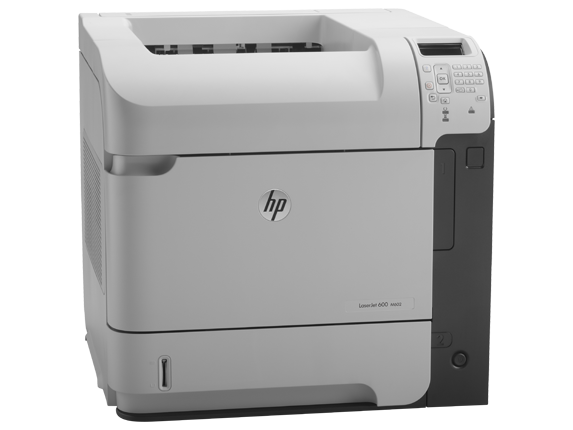
HP LaserJet ENT 600 M601n
The <b>LaserJet Enterprise 600 M601n Network Monochrome Laser Printer</b> from <b>HP</b> outputs up to 45 pages per minute. The printer's high 1200 dpi resolution (black and color) and high monthly duty cycle (up to 175,000 pages) let you execute high volume print jobs in-house, saving the time and money of outsourcing print jobs. Further cut your printing costs by taking advantage of the printer's driver-supported manual duplex printing, cutting your paper consumption by up to 50%. The printer features a 500-sheet input tray and a 100-sheet read feed tray for heavier media. The 600-sheet total input capacity allows you to execute larger print jobs without stopping to reload. You can also use the second tray to keep a 2nd, commonly used media type such as labels or photo paper in the printer for easier media swapping. The printer can handle media up to 52 lb, further expanding your in-house printing options. The printer's multiple connectivity options make it easy to get any print job done wherever you are. In addition to 2 standard USB ports, the printer features Ethernet connectivity and an embedded print server so you can easily share the printer with your entire team. Don't worry about keeping your data secure; the printer's built-in security measures ensure your proprietary data stays out of the wrong hands. Not an IT expert? HP's easy network setup guide leads you through the process of setting up, sharing, and securing your printer. The printer even features a front-facing USB port so you can easily print files directly from a USB external hard drive or thumb drive using the printer's intuitive graphic LCD & control panel.